Our Methodology for Building
Reliable SharePoint Intranet Platforms
At Webotix, we follow a structured methodology to design and implement scalable SharePoint
intranet platforms. Our approach focuses on improving information accessibility, internal
communication, and operational efficiency while ensuring long-term maintainability within
the Microsoft 365 ecosystem.
To understand the organization’s internal communication challenges, information access issues, and limitations of fragmented systems before designing the intranet solution.
Workplace Communication Analysis: Studied how employees access tools, documents, and company updates across departments. ➤ Existing System & Content Review: Analyzed current tools, emails, shared resources, and document storage practices. ➤ Information Access Assessment: Reviewed how employees locate business systems, links, and operational resources. ➤ Content Structure Mapping Mapped company updates, forms, documents, and internal resources for structured organization. 5 Scalability & Usability Evaluation: Mapped company updates, forms, documents, and internal resources for structured organization.
- Conducted discovery sessions with stakeholders
- Mapped existing workflows and communication channels
- Validated insights with real operational scenarios
- Prioritized improvements based on employee usability
- Maintained alignment between business and technical teams
- Clear understanding of workplace communication needs
- Identification of information access gaps
- Strong alignment between organizational needs and intranet design
- Reduced risks during implementation
- Solid foundation for centralized digital workplace development
To translate identified workplace challenges and communication needs into structured requirements for the SharePoint intranet platform.
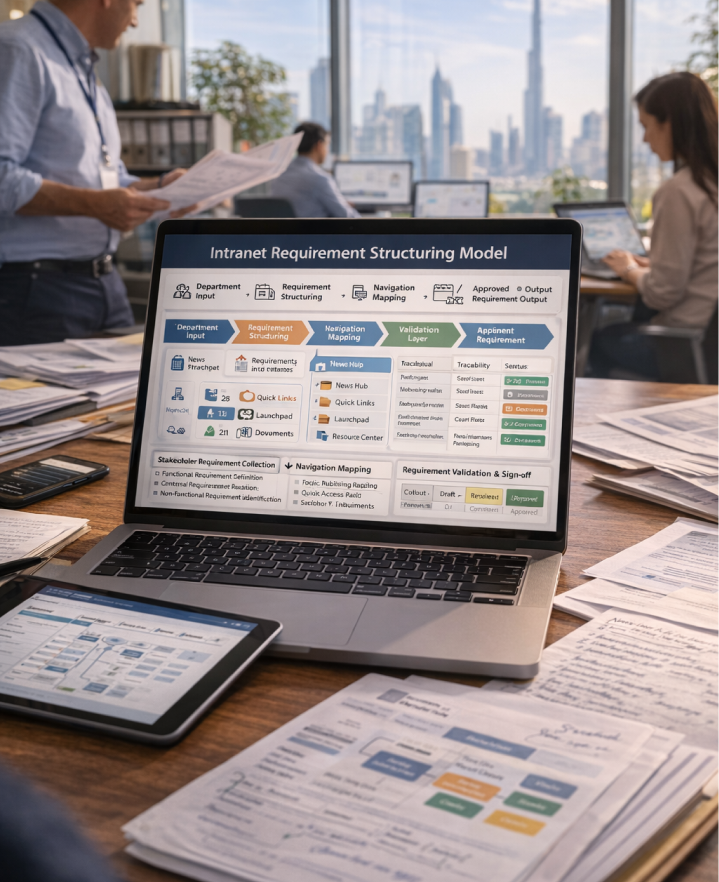
Stakeholder Requirement Collection: Gathered requirements from departments and internal teams. ➤ Functional Requirement Definition: Defined requirements for news publishing, quick links, launchpad resources, and document access. ➤ Non-Functional Requirement Identification: Outlined performance, accessibility, and scalability expectations. ➤ Navigation & Access Mapping: Defined structure for homepage navigation and resource accessibility. ➤ Requirement Validation & Sign-Off: Validated requirements with stakeholders to ensure clarity and alignment.
- Converted requirements into structured deliverables
- Maintained traceability between needs and features
- Conducted iterative reviews with stakeholders
- Prioritized requirements based on operational impact
- Ensured alignment between teams
- Clearly defined intranet requirements
- Reduced development rework
- Improved collaboration between teams
- Faster transition from planning to design
- Strong foundation for intranet implementation
To design a structured SharePoint intranet solution with clearly defined modules and features supporting internal communication and resource access.
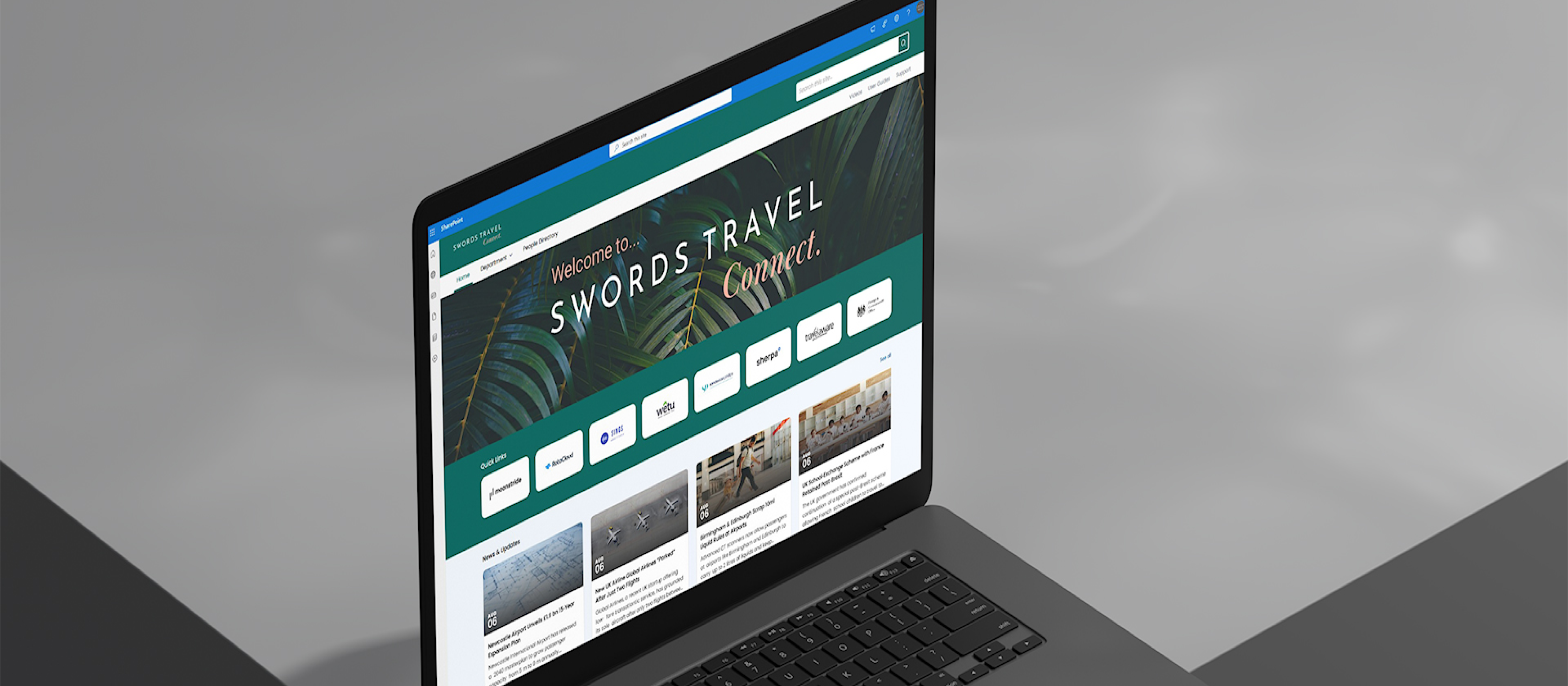
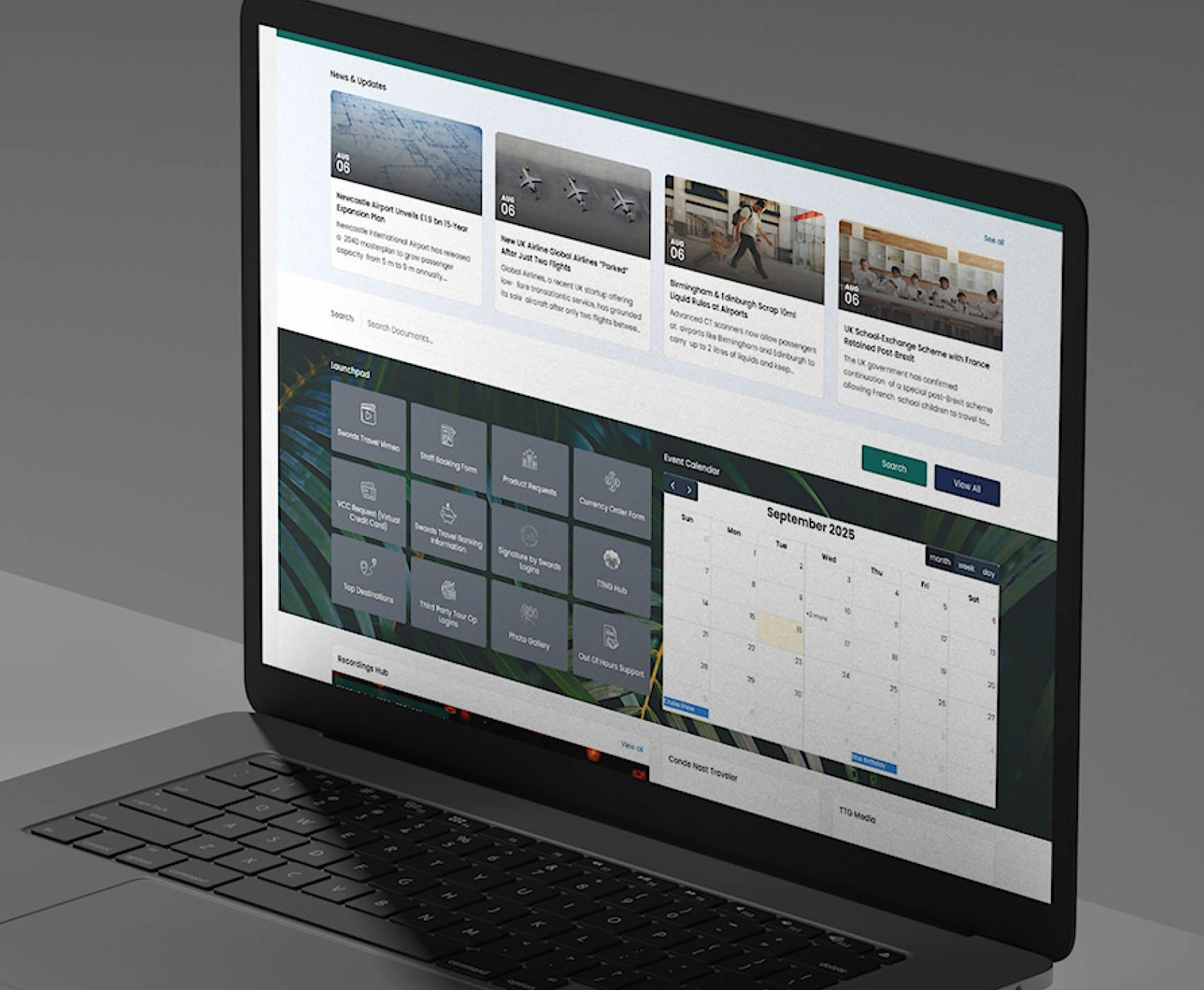
Feature Identification: Defined modules such as homepage, quick links, launchpad, news updates, and event calendar. ➤ Module Structuring: Organized intranet sections for communication, resources, and operational tools. ➤ Workflow Definition: Designed clear pathways for accessing business systems and information. ➤ Feature Prioritization: Prioritized frequently used resources and communication features. ➤ Implementation Roadmap Planning: Defined phased delivery for intranet rollout.
- Planned delivery through incremental stages
- Balanced immediate needs with long-term scalability
- Reviewed scope during planning cycles
- Ensured alignment between design and implementation
- Maintained flexibility for future expansion
- Clear visibility of intranet capabilities
- Reduced implementation complexity
- Faster delivery of core features
- Better control over timelines
- Scalable platform roadmap
To design an intuitive intranet experience that allows employees to easily access information, tools, and updates from a centralized platform.
User Role Identification: Defined employee access and usage patterns across departments. ➤ Journey Mapping: Mapped navigation flows for accessing news, quick links, launchpad resources, and media content. ➤ UX Simplification: Designed clear layouts and structured navigation to improve usability. ➤ Accessibility & Visual Design: Applied accessible typography, contrast, and responsive layouts. ➤ Usability Validation: Validated navigation and page structures for clarity and efficiency.
- Iterative design improvements based on feedback
- Validated usability before full implementation
- Ensured consistent interface patterns
- Refined design during review cycles
- Maintained user-focused design approach
- Faster access to tools and resources
- Improved employee engagement
- Reduced navigation complexity
- Higher platform adoption
- Consistent intranet experience
To design a scalable and maintainable technical architecture using Microsoft 365 technologies
Technology Platform Evaluation: Selected SharePoint Online modern experience within Microsoft 365. ➤ Content & Data Structure Design: Defined structure using SharePoint Lists and document libraries. ➤ Integration Planning: Ensured compatibility with Microsoft 365 services and embedded media components. ➤ Security & Permission Design: Implemented permission-based access for content and resources. ➤ Scalability Planning: Structured navigation and templates for future expansion.
- Selected technologies aligned with Microsoft 365 standards
- Validated architecture during implementation phases
- Ensured maintainability and scalability
- Supported modular content expansion
- Maintained flexibility for automation and integrations
- Stable and scalable intranet platform
- Improved performance and accessibility
- Simplified content management
- Reduced long-term maintenance complexity
- Future-ready digital workplace foundation